What, Why, and How?
A desktop app for Windows and Mac that teaches finger drumming on the MPC, from the fundamentals through to expert-level technique.
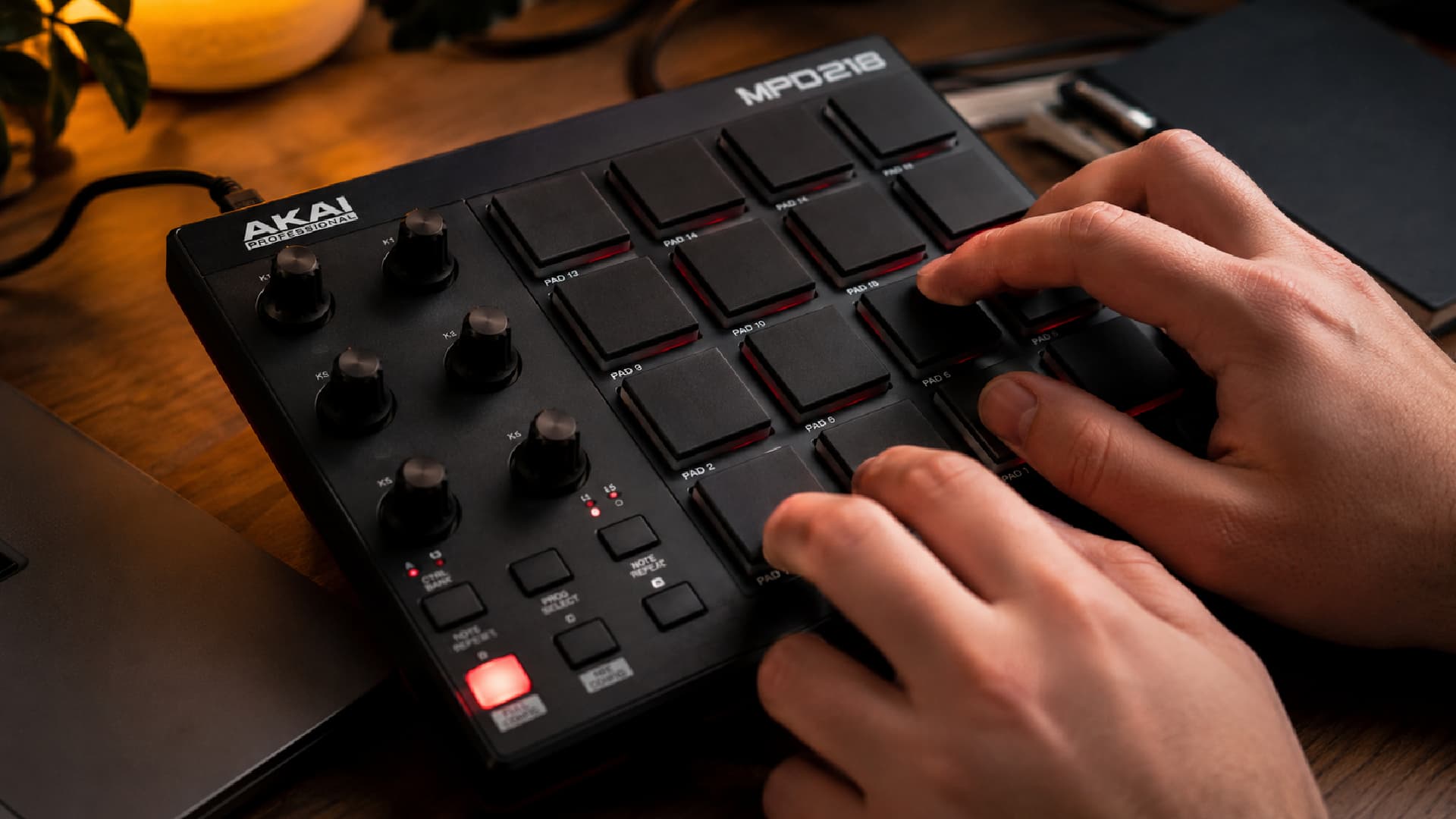
A few years ago I came back to the MPC after a long break, and I couldn't find a course that taught it the way I wanted to learn. The software that existed got me playing, and there were enough YouTube videos to fill a weekend, but nothing pulled finger placement, posture, music theory, and a clear progression into one structured course. So I started building one.
That's Padforms. A desktop app for Windows and Mac that teaches finger drumming on a 16-pad MPC from beginner to expert, with the things other tools skim over baked into the lessons from the start.
Music has been in my life for as long as I can remember: guitar from young, DJing through college and university, and an MPC of some kind on my desk since I was twenty. Then work and life took over for a long while, and the pads gathered dust.
Coming back was awkward. I wanted to do it properly this time, building from the fundamentals rather than picking up bad habits from a scattered patchwork of tutorials. Unfortunately the course I wanted didn't exist.
There were tools that got me playing, and plenty of videos covering individual ideas, but the progression always felt disjointed. Finger positioning varied between lessons. Posture was rarely mentioned. Music theory sat in its own corner, disconnected from what was happening on the pads. It all felt closer to a hobby project than something built for properly learning the MPC.
What it is
Padforms is what I kept wishing existed. Progress that builds clearly. Finger placement taught once and kept consistent. Posture covered before anything else. Music theory introduced where it actually connects to what you're playing. Production quality treated as part of how the lessons feel, not an afterthought.
Plug your device in, pick a lesson. Notes scroll toward a fixed playhead. You play your pads as each note reaches it, and every hit gets timed against the click to the millisecond. The end-of-lesson summary tells you where your hands were actually landing, not whether you felt good.
- Per-hit grading. Perfect, good, late, early, miss, wrong pad.
- Per-pad breakdown. Kick, snare, hat, ghost. See which hand is dragging.
- Streaks and skill paths. Twenty minutes a day, pocket-locked patterns in a fortnight.
- Honest progress. Progress lives on your machine today, with optional cloud sync coming.
Who it's for
Two kinds of player. Beginners who want a proper starting point, and more experienced finger drummers who suspect there are gaps in their fundamentals worth going back to fill.
The first version targets the MPD218 specifically; that's the device I built on. But the lessons aren't tied to that one device. Any 16-pad MIDI controller with a standard MPC pad layout (MIDI notes 36 to 51) works today: MPC One / Live / Key / X, MPD218 / 226 / 232, Maschine Mikro / MK3, Akai Fire, and most Launchpads with a few lesson tweaks.
If your device uses a non-standard layout, the contact page is real. I write back personally and I'll prioritise a tested profile.
What's next
A short list, in rough order of effort:
- Backing tracks aligned to the lesson grid. Not a YouTube embed; proper sync.
- Velocity-aware scoring. Soft hits read soft, hard hits read hard.
- Practice mode. Loop a bar, slow it down, isolate one hand.
- More lessons. More styles. More progression paths.
- A lesson editor so you can build your own grooves.
Padforms is in active development for Windows and Mac. If that sounds like the course you've been looking for, keep an eye out, and if you've got a feature you want, the contact page goes straight to my inbox.